- Pagina inicial /
- Livros /
- Computadores e Tecnologia /
- Operating Systems /
- Windows /
- Windows Desktop /
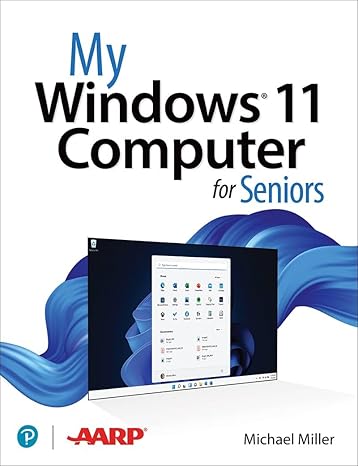
- My Windows 11 Computer for Seniors
0 ratings


Artigo n.º:
50188133
My Windows 11 Computer for Seniors
Artigo n.º:
50188133
€ 39
Detalhes do Preço
Excluindo custos de envio e alfandegários ( Os custos de envio e alfandegários serão calculados na finalização da compra )
*Todos os artigos serão importados de EUA
0 ratings
Escrever uma avaliação
Em stock
 Importado da loja USA
Qtd.:
Encomende já e receba por volta de Monday, Setembro 14
Transação segura
A Ubuy trabalha arduamente para proteger a sua segurança e privacidade. O nosso sistema avançado de segurança de pagamentos garante a confidencialidade ao encriptar as suas informações durante a transmissão, utilizando os protocolos AES (Normas de Encriptação Avançada) e SSL (Camada de Sockets Seguros). Os seus dados de pagamento estão 100% seguros, pois não partilhamos os seus dados de pagamento com vendedores terceiros.
Os nossos principais Parceiros Logísticos


My Microsoft Windows 11 Computer for Seniors is an easy, full-color tutorial on the latest operating system from Microsoft.

Fast
Shipping

Devolução
gratuita*

Embalagem Segura

Produtos 100% Originais

Certificação PCI DSS

Certificação ISO 27001





Note: Step Down Voltage Transformer required for using electronics products of EUA store (110-120). Recommended power converters COMPRAR AGORA.


O que se Destaca
Senior-Friendly Design
This edition offers a simplified interface tailored for seniors, ensuring ease of navigation and reducing technology-related stress. Users can enjoy a more accessible experience with clear, large text and intuitive controls.
Comprehensive Tutorials
Includes detailed step-by-step guides and tutorials specifically created for seniors. These resources empower older adults to master Windows 11 functionalities confidently, fostering independence in using modern technology.
Enhanced Support Resources
Access to dedicated customer support designed for seniors, offering personalized assistance. This feature addresses common user challenges, ensuring that help is available when needed, which enhances user satisfaction and confidence.
Detalhes do produto
| Publisher | Que Publishing |
| Publication date | March 14, 2022 |
| Edition | 1st |
| Language | English |
| Print length | 416 pages |
| ISBN-10 | 0137841701 |
| ISBN-13 | 978-0137841707 |
| Item Weight | 2.31 pounds (1.05 kg) |
| Dimensions | 6.9 x 1.1 x 9 inches (17.5 x 2.8 x 22.9 cm) |
| Part of series | My... |
Quem Deverá Comprar?

-
Elderly Beginners
Perfect for seniors who are new to computers and seek easy-to-understand instructions for practical tasks.
-
Tech-Savvy Seniors
Ideal for senior users familiar with technology but needing guidance specific to Windows 11 features.
-
Caregivers Assistance
Useful for caregivers looking to assist seniors with comfortable and simple explanations of computer operations.

-
Advanced Users
Not suitable for experienced users who require in-depth technical content or advanced troubleshooting techniques.
DESCRIÇÃO DO PRODUTO
My Windows 11 Computer for Seniors
About This Item
Introducing My Windows 11 Computer for Seniors 1st Edition: Your Ultimate Guide to Navigate the Latest Operating System Are you a senior looking to upgrade to Windows 11? Look no further! My Windows 11 Computer for Seniors 1st Edition is here to help you unlock the full potential of your new operating system. Designed specifically for seniors, this comprehensive guide is packed with easy-to-follow instructions, helpful tips, and practical advice to ensure a seamless transition to Windows 11. With our step-by-step tutorials, you'll quickly become proficient in using all the essential features of your new computer. Whether you're new to Windows or upgrading from a previous version, My Windows 11 Computer for Seniors provides a user-friendly interface that caters to your unique needs. We understand that technology can sometimes feel overwhelming, but rest assured, this guide breaks down complex concepts into simple, bite-sized instructions that are easy to understand and apply. From setting up your Windows 11 computer to troubleshooting common issues, we cover it all.
Our detailed chapters cover a range of topics, including: 1. Customizing your desktop: Discover how to personalize your computer by changing wallpapers, themes, and fonts. 2. Navigating the new Start menu: Learn how to find your favorite apps, pin them to the taskbar, and quickly access them with just a few clicks. 3.
Mastering the Microsoft Store: Discover a world of apps, games, and entertainment tailored just for you. 4. Optimizing your computer's performance: Keep your computer running smoothly by utilizing performance-enhancing tools and optimizing settings. 5. Staying safe online: Learn essential cybersecurity practices, such as setting up strong passwords and using antivirus software to protect your personal information. With My Windows 11 Computer for Seniors as your go-to resource, you'll gain the confidence you need to explore all the features this advanced operating system has to offer.
Whether you want to video chat with loved ones, manage your finances, or pursue a new hobby online, this guide will help you make the most of your Windows 11 computer. Don't let technology intimidate you! Join the growing community of seniors who are embracing Windows 11 with confidence and ease. Order your copy of My Windows 11 Computer for Seniors 1st Edition today and embark on an exciting digital journey designed just for you.
Tem alguma Dúvida? Converse connosco
Perguntas e respostas do cliente
-
Pergunta:
Como comprar My Windows 11 Computer for Seniors online na Ubuy?
Resposta: É fácil comprar My Windows 11 Computer for Seniors online na Ubuy.. Você só precisa procurar o produto, escolher a forma de envio na hora de finalizar a compra e receber no seu endereço. -
Pergunta:
My Windows 11 Computer for Seniors está disponível para compras online em Portugal?
Resposta: Sim, na Ubuy Portugal este produto está disponível para você comprar a um preço razoável.. O My Windows 11 Computer for Seniors não está disponível localmente, mas você pode confiar em nós com nossos serviços de remessa expressa. -
Pergunta:
Quanto tempo leva para receber o produto após fazer o pedido?
Resposta: O tempo de entrega do seu produto encomendado varia de acordo com o que você pediu e o método de envio que você escolheu.. O tempo estimado de entrega é mencionado durante o processo de checkout, portanto, fique despreocupado ao fazer compras.
Windows Desktop Editorial Review
The book seems to be well-received by customers, particularly by seniors or those who already have some basic knowledge in the topic. They appreciate that the information is presented in an easy-to-follow and understandable manner, making it a good refresher or introduction to the subject. Some users seem to be slowly going through the book due to the amount of information provided, but they find it helpful and well-explained overall. **** This book seems to be a valuable resource for both seniors and beginners in the subject matter. The simple and clear explanations make it easy to understand even for those who may already have some knowledge. The comprehensive content ensures that readers can learn a lot from this book, whether they go through it quickly or take their time with the information provided. **
Avaliações e Classificações dos Clientes
1 classificações de clientes
-
5 Estrela
100%
-
4 Estrela
0%
-
3 Estrela
0%
-
2 Estrela
0%
-
1 Estrela
0%
Avaliar este produto
Partilhe as suas ideias com outros clientes
Prós
- Easy-to-follow explanations
- Comprehensive content
- Helpful for seniors and beginners alike
Contras
- May contain a lot of information to go through
Histórico de preços do produto
Informação importante
- Limitações: para produtos expedidos internacionalmente, tenha em atenção que qualquer garantia do fabricante pode não ser válida; opções de serviço do fabricante podem não estar disponíveis; manuais de produtos, instruções e avisos de segurança podem não estar nas línguas do país de destino; os produtos (e materiais que o acompanham) pode não ter sido concebido em conformidade com as normas, especificações e requisitos de rotulagem do país de destino; e os produtos podem não estar em conformidade com a voltagem e outras normas elétricas do país de destino (requerendo assim o uso de um adaptador ou conversor caso seja apropriado). O destinatário é responsável por garantir que o produto pode ser legalmente importado para o país de destino. Quando encomenda à Ubuy ou aos seus afiliados, o destinatário é o importador de registo e deve estar em conformidade com todas as leis e regulamentos do país de destino.
- Nem todos os produtos listados na Ubuy estão à venda, uma vez que a Ubuy é um motor de busca global. Os produtos estão sujeitos a leis de exportação/comércio.
€ 39
Encomende já e receba por volta de Monday, Setembro 14
Este artigo não está restrito no meu país. (Clique no link acima se este artigo não estiver restrito no seu país, para que a nossa equipa o analise e permita.)
Qtd.:
Transação segura
Em conformidade com a norma PCI DSS e com certificação ISO 27001:2022, com pagamentos encriptados e proteção total do comprador em todas as encomendas.
Os nossos principais Parceiros Logísticos
Entrega internacional mais rápida
Recursos e benefícios
- Step-by-step instructions and large, full-color photos
- Configure Windows 11 for those with vision and physical challenges
- Find, install, and use the best Windows apps
- Shop safely online and avoid online scams
- Make and receive video and voice calls with Skype
- Watch streaming video on your PC with Disney+, Netflix, YouTube, and more
Ubuy Assurance
Experience worry-free shopping with 100% original products, PCI DSS-compliant payment security, ISO 27001-certified data protection, the fastest cross-border delivery, free returns *, and secure packaging on every order.