- Pagina inicial /
- Software /
- Utilities /
- File Conversion /
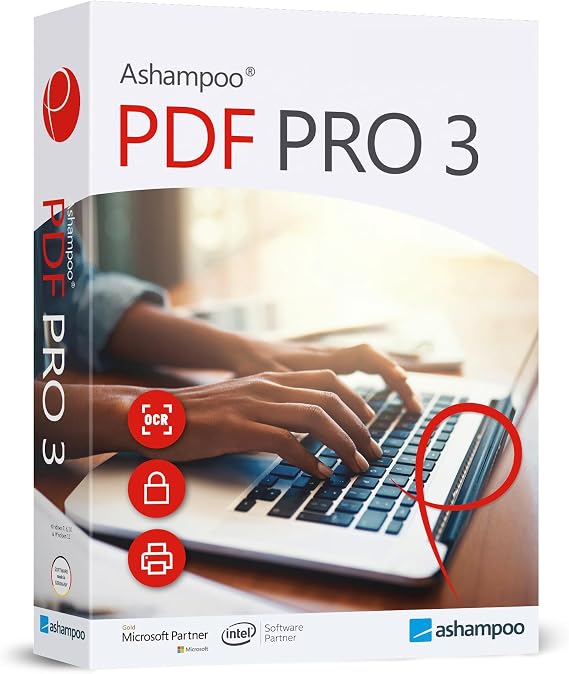
- PDF Pro 3 - PDF editor to create, edit, convert and mer...
0 ratings


Artigo n.º:
16794042
PDF Pro 3 - PDF editor to create, edit, convert and merge PDFs - 100% Compatible with Adobe Acrobat - for Windows 11, 10, 8.1, 7
Artigo n.º:
16794042
€ 39
Price Details
Excluding Shipping & Custom charges ( Shipping and custom charges will be calculated on checkout )
*All items will import from EUA
0 ratings
Escreva um comentário
Em estoque
 Importado da loja USA
Encomende já e receba por volta de Sábado, Agosto 22
Transação segura
A Ubuy trabalha arduamente para proteger a sua segurança e privacidade. O nosso sistema avançado de segurança de pagamentos garante a confidencialidade ao encriptar as suas informações durante a transmissão, utilizando os protocolos AES (Normas de Encriptação Avançada) e SSL (Camada de Sockets Seguros). Os seus dados de pagamento estão 100% seguros, pois não partilhamos os seus dados de pagamento com vendedores terceiros.
Os nossos principais Parceiros Logísticos


The all-in-one solution for PDF editing.

Fast
Shipping

Devolução
gratuita*

Embalagem Segura

Produtos 100% Originais

Certificação PCI DSS

Certificação ISO 27001


Note: Step Down Voltage Transformer required for using electronics products of EUA store (110-120). Recommended power converters Compre Agora.


O que se Destaca
Comprehensive Editing
PDF Pro 3 offers advanced editing tools, allowing users to create, edit, convert, and merge PDFs effortlessly. This versatility addresses diverse user needs beyond basic PDF functionality.
Adobe Compatibility
Designed for full compatibility with Adobe Acrobat, PDF Pro 3 ensures seamless file handling, making it an ideal choice for professionals who require reliable integration with existing Adobe workflows.
Interface amigável
With an intuitive interface, PDF Pro 3 enhances usability for all skill levels. Users can easily navigate features, reducing the learning curve and maximizing productivity for both casual and professional users.
Detalhes do produto
- All-in-one PDF solution for creating, editing, converting, and merging PDF files
- Maximum functionality including interactive forms, comparing PDFs, bates numbering, and OCR engine
- Easy installation and user-friendly interface with in-program instructions and free tech support
- Great value for individuals and companies with maximum functionality at a reasonable price
- System requirements: Windows 11, 10, 8, 7 (32 and 64-bit versions) with internet access for activation
- Features include creating interactive forms, comparing PDFs, image editing, find and replace colors, document protection, and more
| Peso do Item | 0.5 lbs (230 gramas) |
Quem Deverá Comprar?

-
Profissionais de negócios
Ideal for users needing to create, edit, and manage PDFs for reports and presentations efficiently.
-
Students and Academics
Great for students requiring tools to annotate, modify research papers, and prepare assignments in PDF format.
-
Freelancers and Designers
Suitable for freelancers who need to compile and edit client documents or design portfolios in PDF format.

-
Mac Users
Not suitable for Mac users as it is primarily designed for Windows operating systems, limiting cross-platform usability.
-
Usuários Básicos
Not ideal for users who only require basic PDF viewing without any editing or conversion functionality.
-
Grandes Empresas
Lacks advanced features that larger businesses might require for extensive document management and collaboration.
DESCRIÇÃO DO PRODUTO
PDF Pro 3 - PDF editor to create, edit, convert and merge PDFs - 100% Compatible with Adobe Acrobat - for Windows 11, 10, 8.1, 7
Tem alguma Dúvida? Converse connosco
Perguntas e Respostas dos Clientes
-
pergunta:
What features does PDF Pro 3 offer for PDF editing?
Resposta: PDF Pro 3 provides an extensive range of features for PDF editing, including the ability to create, edit, convert, and merge PDFs seamlessly. Users can modify text and images, add annotations, and fill out forms easily. Additionally, it supports batch processing, allowing users to handle multiple files simultaneously, which is great for business professionals who require efficiency in document management. -
pergunta:
Is PDF Pro 3 compatible with other PDF software?
Resposta: Yes, PDF Pro 3 is 100% compatible with Adobe Acrobat, ensuring that users can share and open PDFs without any format issues. This compatibility means that documents created or modified in PDF Pro 3 can be accessed by users on Adobe Acrobat without any loss of formatting. This is especially useful for businesses that need to collaborate on documents with clients or stakeholders who might be using different software. -
pergunta:
Can I convert PDFs to other file formats using PDF Pro 3?
Resposta: Absolutely! PDF Pro 3 allows users to convert PDFs into various formats such as Word, Excel, and PowerPoint. This feature is invaluable for those who need to extract text or images from a PDF to use in presentations or reports. The conversion process is user-friendly and retains the original document’s layout, making it easy to work with converted files. -
pergunta:
Is PDF Pro 3 straightforward for beginners?
Resposta: Yes, PDF Pro 3 has an intuitive user interface that is designed for both beginners and experienced users. The layout is simple to navigate, with clear menus and toolbars that let users quickly access editing, conversion, and merging functions. Beginners can take advantage of built-in tutorials and guides that help familiarize them with the software, making it accessible for any skill level. -
pergunta:
Does PDF Pro 3 allow for secure document handling?
Resposta: PDF Pro 3 emphasizes document security, offering features such as password protection, watermarking, and redaction tools. These options help users manage sensitive information effectively, ensuring that only authorized users can access certain documents. Secure handling is crucial for businesses dealing with confidential information, making PDF Pro 3 a reliable choice for secure PDF management. -
pergunta:
What operating systems support PDF Pro 3?
Resposta: PDF Pro 3 is compatible with a variety of Windows operating systems, including Windows 11, 10, 8.1, and 7. This wide compatibility makes it accessible for users who may not have the latest OS, thus allowing companies with mixed systems to uniformly adopt the software. It ensures that users can utilize the software regardless of their specific system requirements, enhancing overall productivity. -
pergunta:
Can I merge multiple PDFs into one document with PDF Pro 3?
Resposta: Yes, PDF Pro 3 includes a powerful merging feature that allows users to combine multiple PDF files into a single document conveniently. This is particularly useful for professionals who need to compile reports, presentations, or client files. The process is straightforward—just select the PDFs you wish to merge, and the software seamlessly combines them while maintaining the original quality. -
pergunta:
Are there any limitations to the free trial of PDF Pro 3?
Resposta: The free trial of PDF Pro 3 typically allows users to explore most features of the software, however, there may be restrictions on saving or exporting documents. This lets potential customers assess the software's capabilities without any initial commitment. Users who find it beneficial can then opt for the full version to unlock all functionalities, reinforcing the investment in their document management needs. -
pergunta:
What support options are available for PDF Pro 3 users?
Resposta: PDF Pro 3 offers various support options to assist users, including online resources such as FAQs, tutorials, and customer service contact. For advanced issues, users can reach out to the support team via email or live chat for professional assistance. This comprehensive support network ensures that users can get help whenever needed, fostering a smooth experience while using the software. -
pergunta:
Where can I buy PDF Pro 3 in Portugal?
Resposta: You can purchase PDF Pro 3 from Ubuy in Portugal. Ubuy is an authorized retailer that offers a range of software solutions, ensuring you get the original product with reliable service. By choosing Ubuy, you can easily download PDF Pro 3 and enjoy its full features for your PDF editing needs, all while benefiting from a user-friendly purchasing experience.
Markt + Technik File Conversion Editorial Review
PDF Pro 3 is a PDF editor that allows users to create, edit, convert and merge PDFs, and is compatible with Windows 11, 10, 8.1, and 7. Users can select and copy text, edit existing PDF documents, add clickable links to websites or Google docs, and add headers and footers. However, users cannot create new tables or combine PDFs into a single file with bookmarks. The program can convert PDFs to Word but not to Excel. Depending on the origin of the document, users may be able to edit and delete letters and numbers using built-in OCR technology. Reviews of PDF Pro 3 vary. Some users find it to be a perfect replacement for Adobe Acrobat DC Pro at a fraction of the cost. Others find it lacking in necessary features and difficult to use even with help from the user manual. One user was disappointed that they couldn't create a document with the program and ended up switching to a free app. Some users were annoyed that they paid $29 for the program when they could have purchased it for $15 on sale on the company's website. However, other users found it to be easy to use and perfect for their needs, saving them time and money compared to a monthly fee for Adobe.
Avaliações e Classificações dos Clientes
1 classificações de clientes
-
5 Estrela
100%
-
4 Estrela
0%
-
3 Estrela
0%
-
2 Estrela
0%
-
1 Estrela
0%
Avaliar este produto
Partilhe as suas ideias com outros clientes
Prós
- Affordable replacement for Adobe Acrobat DC Pro
- Allows users to select and copy text
- Can edit existing PDF documents
- Ability to add clickable links to websites or Google docs
- Can add headers and footers
- Can convert PDFs to Word
- Saves users money compared to a monthly fee for Adobe
Contras
- Lacks necessary features
Platform Trust & Buyer Confidence

MT
Mohd
Verified buyer
“The product received very good packaging & safe…Thank You”
16 June 2026 · via Trustpilot
SJ
Shawati
Verified buyer
“Accurate delivery timing given”
16 June 2026 · via Trustpilot
YB
Youcef
Verified buyer
“Not madly expensive like I thought, and much quicker than promised.”
15 June 2026 · via Trustpilot
LM
Leila
Verified buyer
“Never dealt with Ubuy before, but everything worked out great. Seamless cross border purchasing and shipping. Thanks!”
6/7/2026 · via Trustpilot
KA
Kwame
Verified buyer
“The process was smooth, with clear communication and timelines. This was my 1st purchase and I am really impressed. I will definitely be coming back.”
12 June 2026 · via Trustpilot
Checkout Seguro
Global Delivery
Devoluções Fáceis
Genuine Products
Histórico de preços do produto
Informação importante
- Limitações: para produtos expedidos internacionalmente, tenha em atenção que qualquer garantia do fabricante pode não ser válida; opções de serviço do fabricante podem não estar disponíveis; manuais de produtos, instruções e avisos de segurança podem não estar nas línguas do país de destino; os produtos (e materiais que o acompanham) pode não ter sido concebido em conformidade com as normas, especificações e requisitos de rotulagem do país de destino; e os produtos podem não estar em conformidade com a voltagem e outras normas elétricas do país de destino (requerendo assim o uso de um adaptador ou conversor caso seja apropriado). O destinatário é responsável por garantir que o produto pode ser legalmente importado para o país de destino. Quando encomenda à Ubuy ou aos seus afiliados, o destinatário é o importador de registo e deve estar em conformidade com todas as leis e regulamentos do país de destino.
- Nem todos os produtos listados na Ubuy estão à venda, uma vez que a Ubuy é um motor de busca global. Os produtos estão sujeitos a leis de exportação/comércio.
€ 39
Encomende já e receba por volta de Sábado, Agosto 22
Este artigo não está restrito no meu país. (Clique no link acima se este artigo não estiver restrito no seu país, para que a nossa equipa o analise e permita.)
QTY:
Transação segura
PCI DSS compliant and ISO 27001:2022 certified, with encrypted payments and full buyer protection on every order.
Os nossos principais Parceiros Logísticos
Entrega internacional mais rápida
Recursos e benefícios
- Create, edit, convert, merge and protect PDF files with one software
- Maximum functionality with interactive forms, OCR engine and more
- Use on up to 3 computers with no expiry date or subscription
- Great value for money, perfect for both personal and company use
- Easy to install and use with well-structured user-interface and free tech support
Ubuy Assurance
Experience worry-free shopping with 100% original products, PCI DSS-compliant payment security, ISO 27001-certified data protection, the fastest cross-border delivery, free returns *, and secure packaging on every order.